Watch sessions across all your machines, reply to an agent mid-run, and merge verified pull requests from your mobile browser. Your code stays on hardware you control.
app.bossanova.dev
Every machine in one queue
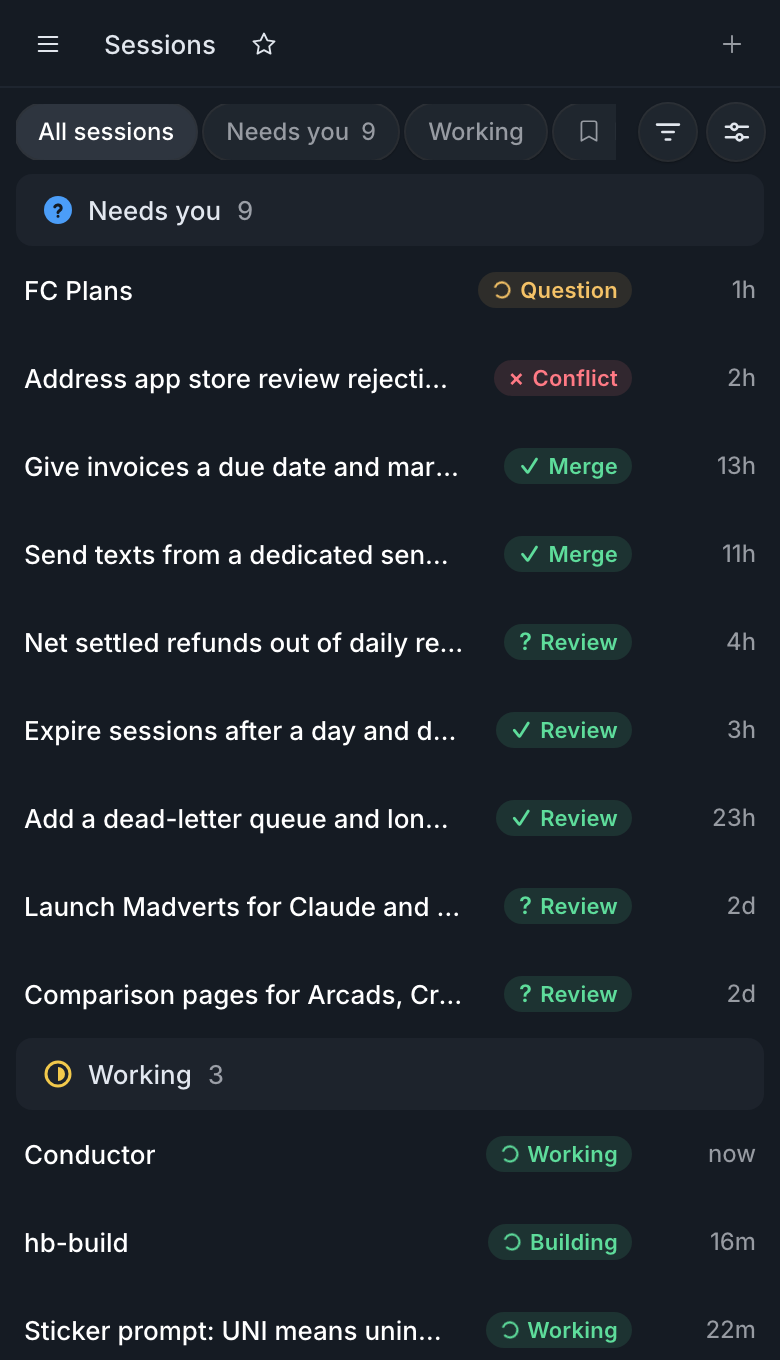
Leave an agent running on your Mac Studio, laptop, or build box. When CI fails, a PR hits a conflict, or an agent stops with a question, it surfaces under Needs you.
Switch across repositories and paired machines without juggling SSH tunnels or remembering which box owns which branch.
Grouped by attention: questions, merge conflicts, and ready PRs float to the top.
Claude Code and Codex together: native sessions from every paired daemon in one list.
app.bossanova.dev
Reply while the agent is still running
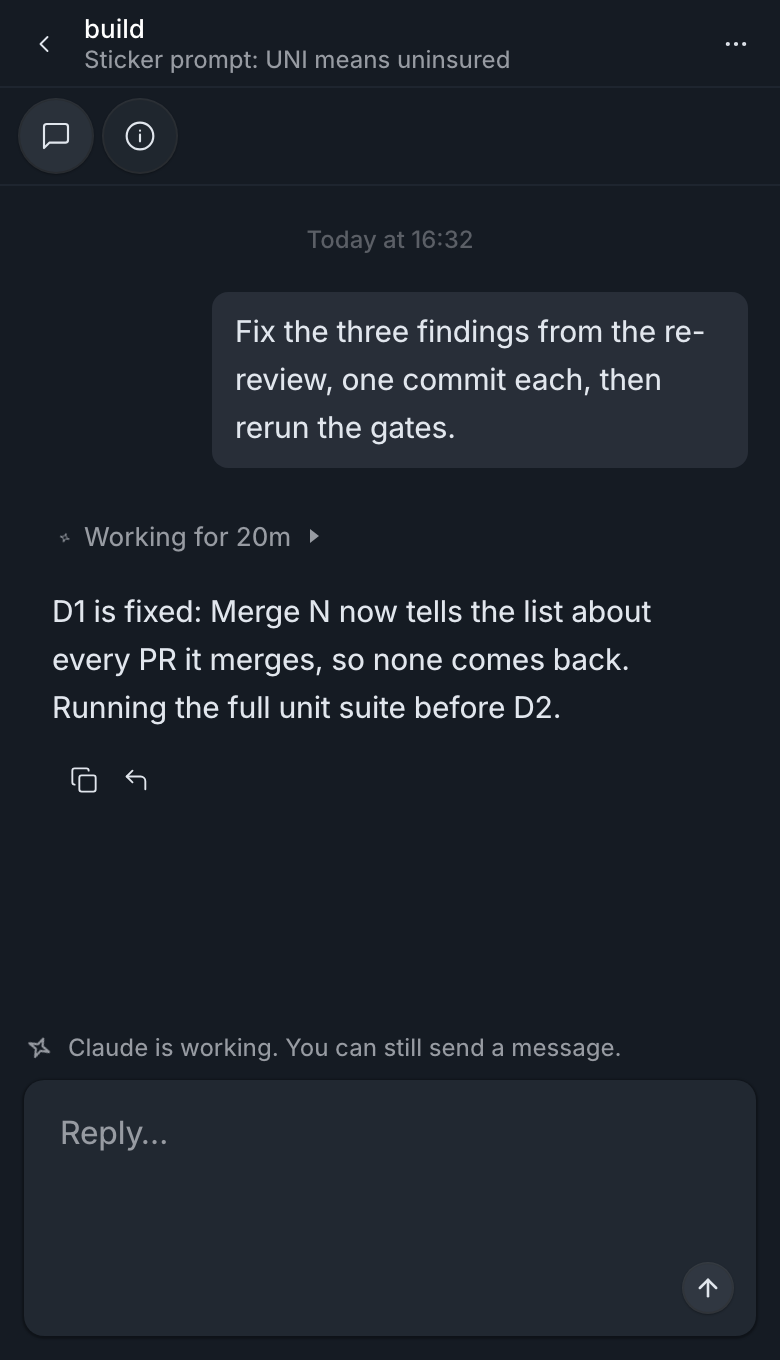
Open a session to see what the agent just changed and send follow-up instructions straight from your phone. You do not have to wait for a turn to finish or open a laptop to steer it.
Every session still runs locally in its own git worktree on your machine. Bossanova Cloud only relays the session view and input.
Keep runs unblocked: answer questions, redirect a fix, or start a new chat from anywhere.
Live terminal when you need it: drop into the session’s terminal directly from the mobile web app.
app.bossanova.dev
Inspect and merge without a laptop
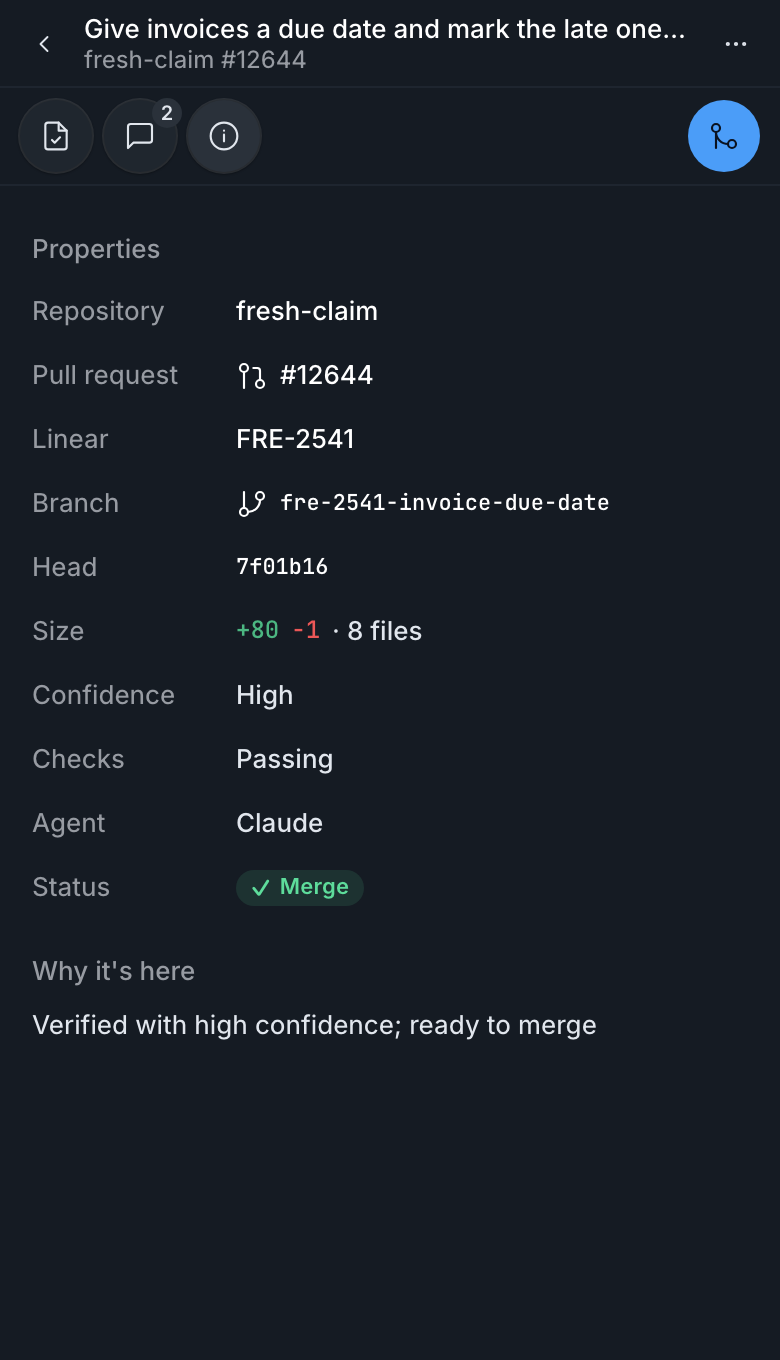
When checks pass and verification finishes, review the PR details, diff footprint, and why the session is ready before tapping merge.
See the web app guide for full navigation, terminal controls, and review actions.
Readiness at a glance: branch, commit head, CI status, diff size, and verification confidence.
Merge or send back to repair: approve a merge with confirmation, or reject with instructions for the next pass.
Set up in three steps
Install Bossanova on the machines running your agents, pair them with your account, and open the web app in your phone’s browser.
Sign in with the same account in Safari or Chrome. No App Store download needed. Your paired machines appear under Daemons in Settings.
Questions
Do I need Bossanova Cloud?
Browser access across your machines is part of Bossanova Cloud, at $9/month. See pricing for details. The local terminal UI, daemon, and PR automation stay free without Cloud.
Does my code leave my machine?
Your repositories and agent processes stay on the machines you control. Bossanova Cloud relays session state and terminal I/O; your coding agent still sends the context it needs to its model provider. See the security page for details.
Does it work with both Claude Code and Codex?
Yes. Bossanova runs native Claude Code and Codex sessions, and both show up side by side in the same mobile web app.
What if I just want SSH from a laptop?
Run boss --host <destination> from any terminal to drive another machine’s daemon over SSH. See the remote daemons guide for setup.
Your 14-day free trial requires a card up front. You’ll receive a daily email course on building a complete, self-sustaining automated coding system. Your subscription starts when the trial ends; cancel before the trial ends to avoid being charged.